Wireframing and Prototyping in Modern UX Projects: Driving Better Digital Experiences
Wireframing and prototyping are the building blocks of successful digital products. This blog explains how businesses can validate ideas, align stakeholders, reduce development risks, and create seamless user experiences through UX practices, AI driven innovation, and design thinking.
In today’s digital age, first impressions and seamless usability are make-or-break for businesses. A visually appealing website alone is no longer enough. Every interaction, from navigation to checkout, must feel intuitive, purposeful, and friction-free.
In this context, wireframing and prototyping are not just optional design stages, but necessary actions. Interactive mockups and early interface designs can save design teams time and money. This enables iterative concept revision, stakeholder alignment, and solution testing before implementation.
In this blog, we’ll explore how wireframing and prototyping in UX lay the foundation for successful digital experiences.
From Ideas to Interfaces: Why Wireframing Sets Every UX Project Up for Success
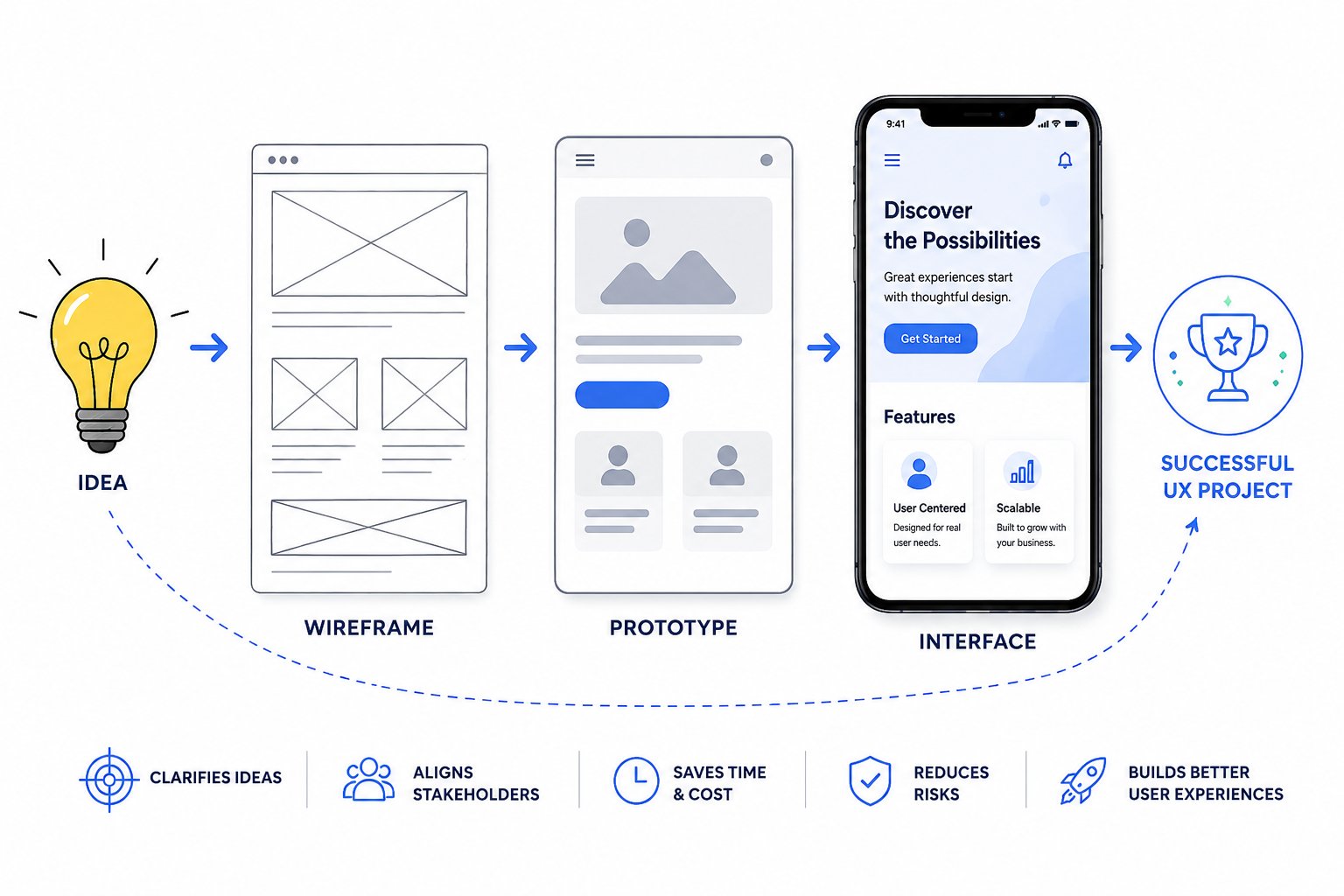
Before an interface takes shape visually, it needs a clear structure. Wireframing is the first practical step in the UI/UX design process, helping teams transform ideas into organized, user-focused experiences. By defining layouts, user flows, and functionality early, wireframes reduce uncertainty, encourage collaboration, and ensure design decisions are validated before development begins.
A well-defined wireframe serves as the foundation of the project, giving teams a clear view of the app or website structure. This makes it easier to spot usability concerns and missing requirements early, while allowing stakeholders to review and refine ideas before significant development resources are invested.
What is a wireframe?
A wireframe is a low-fidelity schematic of a digital interface - like a pencil sketch of a web page or app screen. It shows the basic layout of content and navigation without colors or detailed graphics. Wireframes can be hand-drawn or made with simple digital tools. They allow teams to agree on the structure of a screen before visual design begins.
Why use wireframes?
By stripping out aesthetics, wireframes keep discussions focused on functionality and flow. This makes it easy to iterate and get feedback quickly. For example, our team at Make My Brand often uses paper or Figma-based wireframe templates to diagram user journeys. This helps us validate assumptions (e.g. “Will users know to tap this button?”) with just a quick sketch, rather than building full-featured mockups.
Types of wireframes:
Wireframes range from low fidelity to mid/high-fidelity. We often start with very rough sketches, then build up fidelity. In practice, even a rough wireframe can uncover major issues - it’s cheaper to move a box on paper than recode an entire page.
Prototyping: Bringing Wireframes to Life
Once the structure is agreed, interactive prototyping brings designs to life. A prototype is a clickable simulation of the user interface, often built with tools like Figma, Sketch, or Adobe XD. It lets stakeholders and test users “click through” screens as if it were a real app.
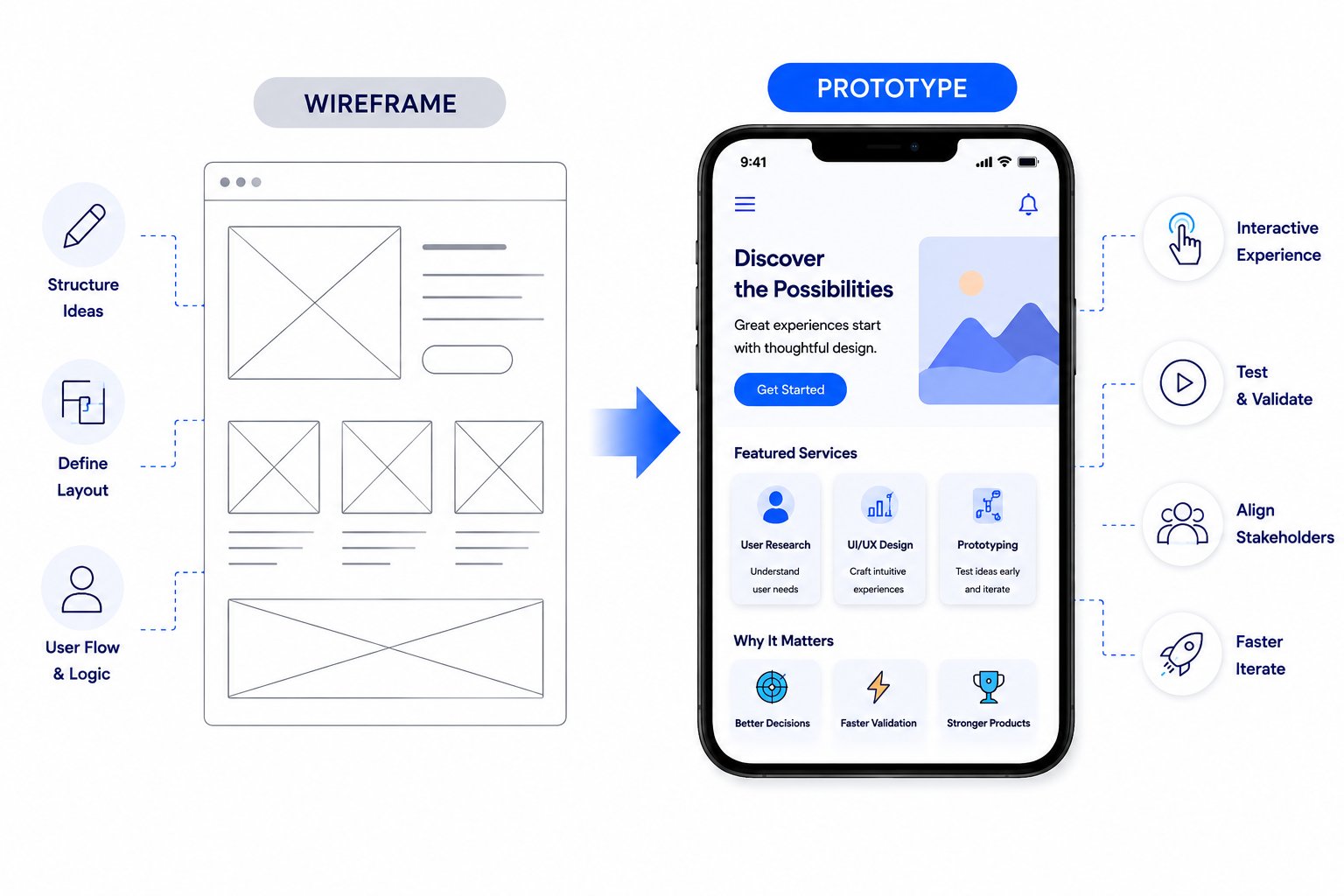
This has several benefits:
User Testing
Interactive prototypes can be tested with real users to collect early feedback. Before any code is written, teams can learn what confuses users, which flows are intuitive, and what features may be missing. This shifts the project to a user-centric design process.
Conversion Focus
By prototyping conversion paths (like checkout or signup flows), designers can experiment with layouts and calls-to-action. Research shows that even a well-placed button or streamlined form can dramatically improve sales. For instance, better checkout design alone can yield 35% jump in conversions on e-commerce sites. Figma prototyping allows optimization of these critical pages.
Stakeholder Buy-In
Clients and managers can interact with a working model rather than static mockups. This makes it easier to gather sign-off and reduce surprises later. It also builds confidence among stakeholders.
In our CarsCentro case study, for example, we adopted a “design system approach” with Figma-first prototyping.
This not only accelerated our design work but ensured every booking flow and dashboard look-and-feel was consistent. The result was a seamless user experience across professional web design and mobile layout, and faster development.
Similarly, in the CereKart project, our team built a design system and started coding only after user flows were proven. We documented “Figma-first prototyping with reusable components and tokenized styles for consistent branding across all role-based apps.” This meant our multi-role (customer, driver, vendor, admin) delivery app had one coherent UX design. By testing prototypes with a small user group, we avoided costly mid-development redesigns.
Emerging Trends: AI, Personalization, and Inclusive Design
Website Wireframing and prototyping in UX are also evolving with new technology and market trends:
AI-assisted design
Generative AI tools are now part of many design workflows. In fact, recent surveys find that 85% of designers and developers say AI will be essential to their future success. AI can speed up ideation (e.g. suggest layout variations) and automate repetitive tasks.
At Make My Brand, we experiment with AI-driven wireframe generators to jumpstart concepts, then refine them. However, transparency is key - design prototypes now often include easy toggles and annotations, so end-users understand any AI-driven suggestions or adaptations.
Adaptive personalization
Modern users expect experiences that adapt to their needs. For example, prototypes may test personalized homepage layouts or context-aware recommendations. The latest UX trend is designing interfaces that change based on user data (location, behavior, preferences), so wireframes now include blocks for dynamic content.
Regardless of content complexity or variation, clear navigation and a structured hierarchy are critical to ensuring cognitive clarity and a seamless user experience.
Calm and inclusive design
2026 design forecasts emphasize calm interfaces that reduce cognitive load. This means that in UX prototyping we keep layouts uncluttered, use plenty of white space and subtle micro-interactions (such as gentle transitions) instead of flashy animations.
And accessibility is a must, too. Current wireframes include high-contrast color choices, readable typefaces and keyboard-navigable defaults. Make My Brand incorporates these features into early prototypes so that the final product is inclusive and legally compliant.
Multimodal and spatial UX
As users multitask, prototypes are increasingly tested across modes: touch, voice, and even VR/AR.
For instance, we might prototype a voice-command flow alongside a touch interface. This forward-looking step ensures designs work in real-world contexts - someone tapping buttons on the train or speaking commands in the car.
Best Practices for Modern Wireframing and Prototyping in UX
Successful UX teams follow some key guidelines in this phase:
Start low-fidelity, then evolve
Begin with paper or digital sketches to outline ideas. Gradually add fidelity - typography, images, realistic data, once the concept is validated. This keeps early iterations cheap and flexible.
Iterate and test quickly
Use an agile mindset. Build a prototype, test it with users or stakeholders, gather feedback, and iterate. Weekly design sprints keep improvements fast.
In fact, teams that adopt continuous UX testing can see steady gains. One study found revenue retention improves up to 10.8% over three years with systematic UX research.
Collaborate across teams
Effective prototypes are shared with engineers, marketers, and product owners. Collaborative tools (like Figma’s commenting or FigJam brainstorming sessions) bridge gaps.
84% of designers collaborate with developers weekly, underscoring how integrated hand-offs prevent rework. At MMB, our UX designers involve developers in early reviews of the wireframe prototype to ensure technical feasibility.
Align with UX strategy
Wireframes should reflect not just usability, but business goals. For example,
If conversion is key, the prototype must emphasize clear CTAs.
If brand authority is important (like for a fintech or healthcare client), the design should convey trust via consistent visual language.
Make My Brand’s BDLC (Brand Development Life Cycle) framework ensures each prototype ties back to the client’s goal.
Document decisions
Every prototype iteration ideally notes why a change was made. This way, when the project scales, new team members understand user insights and design rationale. A design system often evolves from the wireframe to prototype stages, capturing typography, colors, and component rules for consistency.
Business Impact: UX for Growth and Trust
Ultimately, wireframing and prototyping are about de-risking development and maximizing return on investment. When businesses skip these stages, projects often fail or need costly fixes midstream. User experience is now a differentiator, not a nice-to-have.
Conversely, poor UX can erode revenue. As a matter of fact, PwC reports that over half of consumers stopped buying from a brand after one bad experience.
Conclusion
Wireframing and prototyping in UX are no longer early-stage design tasks to be rushed through. They are strategic steps that shape clarity, reduce risk, and improve the quality of the final digital experience. When handled well, they bring structure to ideas, align teams around a shared direction, and help uncover usability issues before they become expensive problems. In a market where users expect speed, simplicity, and relevance, this early planning makes a measurable difference.
Every successful digital product starts with a well-defined UX strategy. Let Make My Brand help you validate ideas, reduce development risks, and create experiences your users need. Get in touch with our UX experts today.
Loading FAQs
Please wait while we fetch the questions...
Published on June 25, 2026 by Khushpreet Kaur