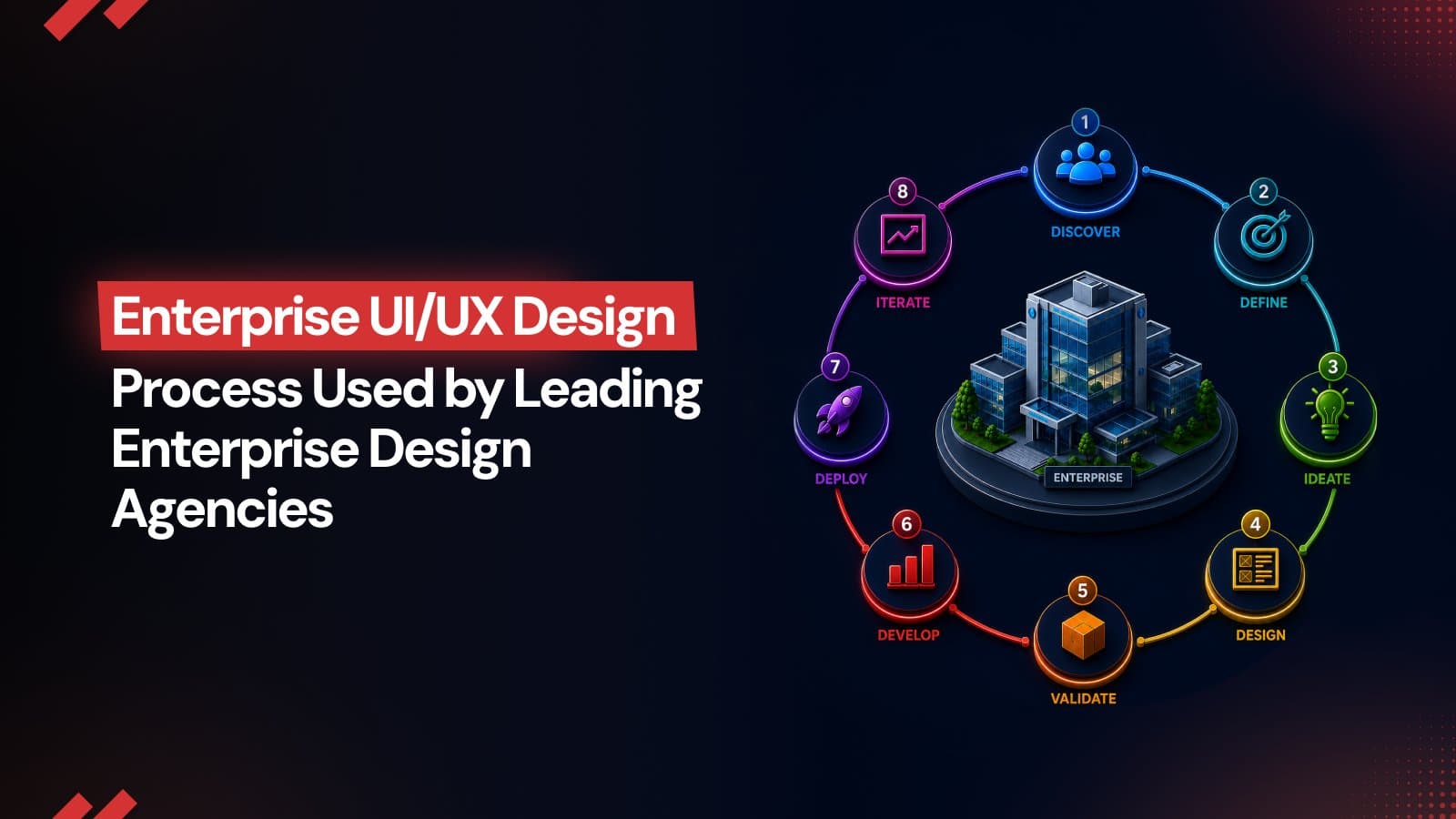
UI/UX Design Process Used by Leading Enterprise Design Agencies
Enterprise UI/UX design is a core business driver, not just visual polish. With user research, scalable design systems, accessibility standards, and AI based validation, companies can reduce friction, improve efficiency, increase conversions, and drive long term digital growth.
Enterprises are going through a historic structural shift. Organizations today rely on digital solutions to help them simplify processes, make better decisions, and improve customer experiences on a large scale. In this scenario, UI/UX design is a commercial concern rather than a purely visual consideration. The most successful products reduce complexity, shorten learning curves, and help users reach outcomes faster, creating measurable value for both the business and its customers.
In this blog, we look at the structural evolution of corporate operations and show how a smart, data-driven UI/UX design process serves as a main accelerator for operational efficiency and long-term success.
Deconstructing the Enterprise UI/UX Design Process
To obtain superior operational results, elite agencies utilize a comprehensive UX design framework that combines qualitative user research with rigorous validation procedures. The enterprise UI/UX design process is highly systematic, repeatable, and data-driven.
1. Discovery and Strategic Alignment
The genesis of a successful enterprise project lies in deep, investigative discovery. This phase moves well beyond a simple checklist of feature requests. It involves comprehensive internal audits and direct stakeholder interviews to surface hidden operational bottlenecks.
The objective is to reconcile executive vision with the actual, granular demands of the user base. Within the enterprise UI/UX design paradigm, discovery integrates quantitative telemetry analyzing how systems are currently being misused or bypassed with structured feedback to build a resilient product strategy.
During this stage, design teams architect role-based personas that reflect the actual fragmentation of an enterprise environment.
Consider a complex supply chain platform: it must cater simultaneously to warehouse operators requiring high-density data, external delivery personnel needing mobile-optimized, real-time alerts, and back-office administrators managing high-level throughput. Each persona necessitates a unique approach to navigation, input density, and feedback loops.
2. Information Architecture and User Journey Mapping
Once the personas are validated, the focus shifts to structuring the underlying information architecture (IA). The goal is to map the application’s layout to mirror natural cognitive pathways. A well-constructed IA reduces the mental load on users, allowing them to traverse complex databases without needing exhaustive training.
User journey mapping is the visualization of these cognitive paths. It plots how specific personas navigate the interface to execute critical tasks, pinpointing exactly where hesitations occur or where workflows fracture. Designing multi-role systems requires balancing these transactional layers without creating silos.
For example, the multi-role infrastructure developed by Make My Brand for Cerekart necessitated the creation of four distinct visual and functional pathways for customers, vendors, drivers, and administrators. By meticulously mapping these journeys, the team synthesized a unified dashboard experience that reconciled real-time logistics, complex order processing, and administrative oversight into a cohesive, simplified product ecosystem.
3. Wireframing and Figma Prototyping
Following the IA definition, the team moves to low-fidelity wireframing to establish the structural hierarchy before iterating into high-fidelity Figma prototypes. Figma has become the primary orchestration layer for enterprise design. Leading firms use it to build a singular, scalable workspace where stakeholders, product owners, and engineering leads collaborate in real-time.
These high-fidelity prototypes act as a "living" bridge between concept and code. By building clickable representations that mimic the final application's behavior, teams can stress-test logical sequences and edge cases long before a single line of backend logic is written. This eliminates the "discovery-in-development" trap, where costly architectural changes are made during the sprint phase.
4. The Validation Loop
User testing is the ultimate validation mechanism in the product design process. Rather than relying on gut instinct, agencies employ a dual-methodology approach:
Predictive AI Analysis
Utilizing machine-learning models to simulate human visual attention. This generates predictive heatmaps, verifying that primary calls-to-action are positioned for maximum cognitive noticeability before a user ever touches the interface.
Qualitative Human Testing
High-fidelity prototypes are placed in the hands of target users to execute real-world tasks. This uncovers nuanced frictions such as confusing terminology, logical loops that lead to dead ends, or interactions that fail to match user mental models, allowing for precise, evidence-based iteration.
Organizations that treat professional UI/UX design services as a secondary concern are increasingly finding themselves at a competitive disadvantage. Conversely, those that prioritize a rigorous, data-informed UI design process are securing sustainable moats in customer retention, transactional fluidity, and internal operational performance.
This level of optimization requires a sophisticated framework that synchronizes human cognitive psychology with precise corporate objectives, a process championed by specialized enterprise design agencies such as Make My Brand.
Custom Design Systems: Driving Scalability and Compounding ROI
One of the highest-returning investments an enterprise can make is building a customized, tokenized design system. A design system is a comprehensive library of reusable UI components, interaction patterns, and design tokens that serves as the single source of truth for both design and engineering teams.
Design tokens are name-value pairs that store visual design attributes such as hex codes for color, typographic scales, spacing values, and animation timings. By abstracting these variables from hard-coded values, design systems ensure that a change made to a master token automatically updates across every web and mobile interface, ensuring cross-platform consistency.
For example, when optimizing multi-region performance marketing and acquisition campaigns for Mainstreet Equity Corp, Make My Brand developed a comprehensive, reusable Figma design system. This centralized framework accelerated design-to-development cycles by 30%.
In addition to boosting internal engineering velocity, this consistent, high-performance landing experience reduced user drop-offs by 25% and supported a 584% increase in conversion rates.
Mitigating High-Risk Failures: Top UI/UX Mistakes and Accessibility Compliance
While modern design tools have accelerated development cycles, many organizations still fall prey to critical UI/UX mistakes that degrade usability, damage brand credibility, and directly hurt revenue.
Failing the Mobile Responsiveness Benchmark
Mobile devices now command the majority of global web traffic, rendering responsive web design a critical business necessity. Legacy platforms often suffer from poor conversion because they mirror desktop constraints. A true mobile-first architecture eliminates this friction, dramatically reducing load times and optimizing complex workflows for performance, retention, and seamless accessibility.
Make My Brand addressed this for Seasia Infotech by delivering a mobile-first, modular architecture. This transformation achieved a 95+ responsiveness score and cut page load times by 40%, directly boosting retention and organic search performance.
Ignoring Global Accessibility Compliance (WCAG 2.2)
Prioritizing WCAG 2.2 accessibility is a fundamental business website development imperative, not an optional feature. Neglecting these standards creates significant legal exposure and alienates a vast, underserved user base, directly stalling market growth.
Worldwide, approximately 1.3 billion people live with some form of disability. Excluding them is a major missed revenue opportunity and a brand reputation risk. Infact, in 2025 alone, over 5,114 digital accessibility lawsuits were filed in the United States.
Automated "overlay" widgets typically fail to provide genuine access, attracting litigation rather than minimizing it. A high-performing business approach incorporates accessibility directly into the design system using semantic code, appropriate contrast ratios, and keyboard-operable navigation.
Companies that regard inclusive design as a core architectural necessity, companies avoid costly retrofitting, improve their brand reputation, and guarantee their platforms stay legally compliant and globally accessible.
The New Frontier: Agentic AI and Autonomous Interfaces
The trajectory of interface design is shifting toward Agentic AI, systems that move beyond answering queries to executing multi-step business objectives. As these autonomous agents become more prevalent, the designer's role evolves into an architect of behavioral logic, trust systems, and human-in-the-loop validation checkpoints.
In this emerging model, we move from the standard input-output cycle to a more nuanced flow:
User Intent → AI Planning → Human Validation.
To build experiences for this agentic shift, product teams must focus on several core UX principles:
Variable Autonomy (The Autonomy Dial)
Interfaces must let users control how much an AI agent can do on its own. This includes allowing users to adjust settings from "Ask me before taking any action" to "Execute automatically and provide a weekly summary."
Transparency of Thought
When an AI agent performs a complex workflow, the interface must clearly show its rationale. Rather than hiding the process behind a generic loading spinner, the UI should use progressive disclosure patterns to show the agent's intent, steps, and source attribution.
Human-in-the-loop
When an autonomous system encounters a high-risk action or ambiguous data, it must pause and escalate the decision to a human supervisor. The UI needs clear, easy-to-use controls for pausing, correcting, and undoing agent actions.
This evolution is being accelerated by the adoption of the Model Context Protocol (MCP), which acts as a universal bridge for AI systems to interact with enterprise databases and tools. By standardizing how these agents connect to business systems, MCP removes the technical friction of custom integrations, allowing designers to focus on how users validate and oversee the work performed by these autonomous agents.
Conclusion
Ultimately, enterprise UI/UX design services have progressed from a visual challenge to a critical component of operational success. Organizations can transform their interfaces into competitive assets by combining complicated user research, tokenized design systems, and proactive accessibility. Working with an expert like Make My Brand enables you to overcome legacy limits. The experience guarantees that your UI/UX architecture serves as a scalable engine for revenue development and long-term customer retention.
Stop settling for design that leaves value on the table. Partner with Make My Brand to engineer a digital environment that drives conversion, lowers operational overhead, and scales alongside your business.
Loading FAQs
Please wait while we fetch the questions...
Published on June 12, 2026 by Abhishek Vasudev